
API Authentication
Protocol
Authentication for Marosa APIs is handled through the OAuth 2.0 protocol using the client_credentials flow.
Clients are required to obtain a valid access token prior to making API requests.
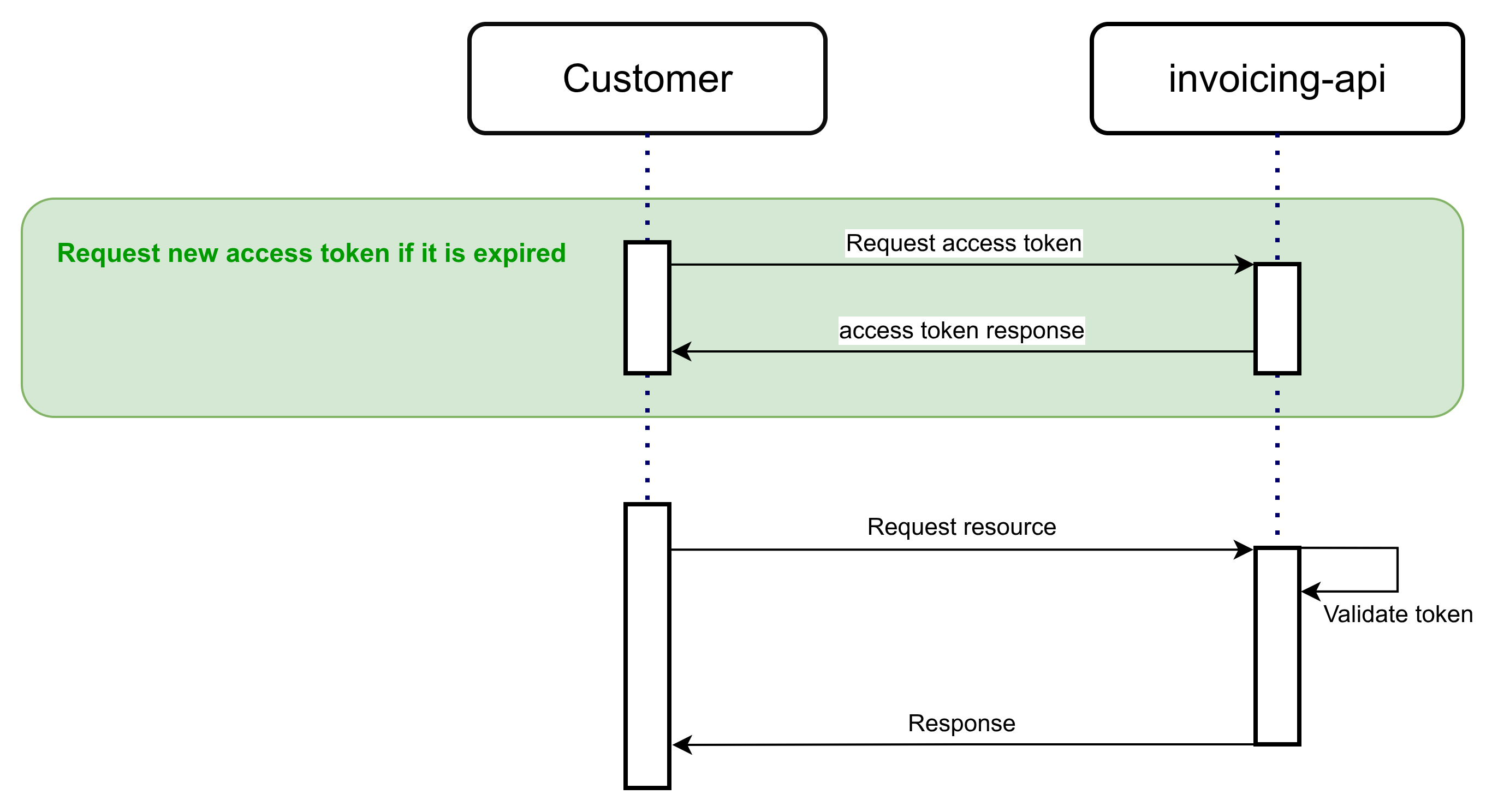
Request access token
The access token is requested using the following parameters in a POST request with a JSON body.
POST /api/invoicing/auth.
| Parameter | Value | Mandatory | Description |
|---|---|---|---|
| client_id | The Client ID | yes | The ID of the requesting client |
| client_secret | The client secret | yes | The secret of the client |
| grant_type | client_credentials | yes | Tells the token endpoint to perform the Client Credentials flow./ |
Request:
{
    "client_id": $CLIENT_ID,
    "client_secret": $CLIENT_SECRET,
    "grant_type": "client_credentials"
}
Response:
Upon successful authentication, the server responds with a JSON object containing the Bearer access token, the token type, and other related parameters, including the token’s expiration time expressed in seconds.
{
    "access_token": $ACCESS_TOKEN,
    "expires_in": 3300,
    "refresh_expires_in": 0,
    "refresh_token": null,
    "token_type": "Bearer",
    "not_before_policy": 0,
    "session_state": null,
    "scope": "userAttributes email profile"
}
Error response:
If the request contains invalid parameters, such as incorrect credentials, the response will be an HTTP 500 (Internal Server Error).
{
    "timestamp": "2025-01-01T00:00:00.000+00:00",
    "status": 500,
    "error": "Internal Server Error",
    "path": "/api/auth"
}
Access token management
The access token is issued with a defined validity period (5 hours), during which it may be reused for multiple requests.
Clients are encouraged to implement a renewal mechanism based on the expires_in parameter returned in the token response.
Because the token expiration time may be updated by Marosa API administrators, integrations should not rely on a hardcoded expiration value and must instead evaluate the expires_in parameter dynamically.
NoteBest practices recommends an Access Token be used for most of its lifetime.
Frequent token requests (e.g., requesting a new token per API call) may exceed IAM rate limits and cause authentication errors.
To avoid this, clients are strongly encouraged to make full use of the token’s lifetime before requesting a new one.
Authorization
All requests to the API require authentication via the Authorization header using a Bearer token:
Authorization: Bearer $ACCESS_TOKENThe system validates the JWT according to standard security checks, including signature verification and expiration control. The token embeds authorization details defining the scope of access granted to the company.
Additional authorization validations are performed using the tax identifier and other request parameters to determine whether the requesting entity is permitted to access the specified resource.
Security advice
Client Secret Security GuidelinesSafeguard the OAuth2 Client Credentials client secret at all times. If there is any indication that it may have been exposed, promptly reach out to our team to rotate the secret. Ensure it is never recorded in logs, embedded in code, or stored in unsecured systems.
Updated 7 months ago